And the link just for good measure
Thursday, 11 December 2014
Wednesday, 10 December 2014
A few last thoughts
I know I lost a lot of detail with this project due to the scale of it and my doubts of my own skill. But I do intend on working on the scene even more. I want to work on the stairs and make them to be a real beauty assets that could be presented just by themselves.
Texturing is my weak point so I'd like to try and improve on those skills so I can polish the scene even more and not have it let down by the textures.
I'm glad with how much I learnt during this module, about how I work, my skills and limitations and workflows. Hopefully I can take what I've learnt and take it forward to game dev and future projects.
Here are some AO beauty shots because I prefer these:
Texturing is my weak point so I'd like to try and improve on those skills so I can polish the scene even more and not have it let down by the textures.
I'm glad with how much I learnt during this module, about how I work, my skills and limitations and workflows. Hopefully I can take what I've learnt and take it forward to game dev and future projects.
Here are some AO beauty shots because I prefer these:
Monday, 8 December 2014
Week 11
First this week I had the stairs open just to change some uvs, I had tile-able things on my mind so I thought I'd try it with the cross (as it was right in front of me) and it created quite a cool pattern. I noticed that my scene was lacking a lot in detail and one of the key things about gothic (to me anyway) is the high level and attention to detail. I did lose this scene slightly due to my lack of interest in the brief and my self doubt that I could pull it off. As I was running out of time to get any kind of major detailing done, I thought this would at least help to pull my scene back towards gothic so it would still be about the brief.

So, I put it everywhere.
This is just with an Unreal material just so I could see how it looked and in the end I think it really helped pull the scene together. I did originally bake it down as the poly count was a lot, but the bake just looked awful so I kept it as I thought this detail was worth it.
The end walls have the trim downstairs.
Now I felt like the scene was coming together, I thought about what else I could add for dynamics. Kyle Moody suggested back in week 3 I could have banners swaying so I went with that.
After making the basic shape, I was unsure of how to make it sway. After watching Kyle Horwood (so many Kyles!) make his trees for his moorish scene, I thought it would be best to use vertex colouring to make the banners sway slightly. Using this tutorial https://vimeo.com/album/3156615/video/98373299 I managed to get the basics down and paint the banner in Maya (right).
When creating the material, it was such a learning jump for me as I learned quite a bit about the different nodes.
Looking at a UE4 material that glows, I managed to re-produce an emissive that glows on and off through an alpha. I had a bit of help with the world position offset part but we managed to make it so the banner sways slightly off the bannisters. It may not be that visible in the cinematic but I know it's there and when you do catch it, it adds to the scenes feel.
Even though I decided to take this out, I made another glowing material for some bottles I planned to have around the scene. I was struggling with making a believable glass texture for the bottles and thought it might look ok if I had this instead.
The bottle would glow between the light pink and the dark purple. I also added the clouds from the crystal ball in to the base colour to give it a bit of substance.
I added a few more final things just to add that little bit extra.
Ladder! Even though the wizard who owns the place doesn't need a ladder and can just use his magic for get anything he needs from the other side of the shop. But it's another prop.

I also made a little stool for when he's tired of being magical and wishes to rest like a regular person.
As a very last minutes thing, I also made a few of the books float from one bookcase to another in matinee.

So, I put it everywhere.
This is just with an Unreal material just so I could see how it looked and in the end I think it really helped pull the scene together. I did originally bake it down as the poly count was a lot, but the bake just looked awful so I kept it as I thought this detail was worth it.
The end walls have the trim downstairs.
Now I felt like the scene was coming together, I thought about what else I could add for dynamics. Kyle Moody suggested back in week 3 I could have banners swaying so I went with that.
After making the basic shape, I was unsure of how to make it sway. After watching Kyle Horwood (so many Kyles!) make his trees for his moorish scene, I thought it would be best to use vertex colouring to make the banners sway slightly. Using this tutorial https://vimeo.com/album/3156615/video/98373299 I managed to get the basics down and paint the banner in Maya (right).When creating the material, it was such a learning jump for me as I learned quite a bit about the different nodes.
Looking at a UE4 material that glows, I managed to re-produce an emissive that glows on and off through an alpha. I had a bit of help with the world position offset part but we managed to make it so the banner sways slightly off the bannisters. It may not be that visible in the cinematic but I know it's there and when you do catch it, it adds to the scenes feel.
Even though I decided to take this out, I made another glowing material for some bottles I planned to have around the scene. I was struggling with making a believable glass texture for the bottles and thought it might look ok if I had this instead.
The bottle would glow between the light pink and the dark purple. I also added the clouds from the crystal ball in to the base colour to give it a bit of substance.
I added a few more final things just to add that little bit extra.
Ladder! Even though the wizard who owns the place doesn't need a ladder and can just use his magic for get anything he needs from the other side of the shop. But it's another prop.

I also made a little stool for when he's tired of being magical and wishes to rest like a regular person.As a very last minutes thing, I also made a few of the books float from one bookcase to another in matinee.
Monday, 1 December 2014
Particles & Effects
Whilst thinking of things to fill up the scene, I thought of using particles to make the scene more dynamic from the feedback I was given from alpha. After I had deleted the lens flare flame particle, began just playing around with different options in Cascade with a blue circle alpha I made in Photoshop.
I have the particle in engine selected on the left so you can kind of see that they're floating all over the shop and there is a closer shot on the right. I didn't it to be too over powering like a blizzard so I think this is a good amount to give off a magical feel.
I had a lot of fun making the particles so now that I didn't really have much use for the lanterns, I thought it might look cool if I made some particles to represent elemental magic. Yellow is light, the snowflakes are ice (duh), red is fire, purple is spirit and green is earth. I created a quick matinee so the lanterns would be floating slightly but it didn't look that great. These are placed above the upstairs bookcases.
Next I made a little bubble particle to emit from some of the cauldrons.
There was a bit of an issue that the particle emmiter was too wide so the bubbles would go through the side of the cauldron, but Kyle showed me how to change that.
I like how it looks, it's cute.
I have the particle in engine selected on the left so you can kind of see that they're floating all over the shop and there is a closer shot on the right. I didn't it to be too over powering like a blizzard so I think this is a good amount to give off a magical feel.
I had a lot of fun making the particles so now that I didn't really have much use for the lanterns, I thought it might look cool if I made some particles to represent elemental magic. Yellow is light, the snowflakes are ice (duh), red is fire, purple is spirit and green is earth. I created a quick matinee so the lanterns would be floating slightly but it didn't look that great. These are placed above the upstairs bookcases.
Next I made a little bubble particle to emit from some of the cauldrons.
There was a bit of an issue that the particle emmiter was too wide so the bubbles would go through the side of the cauldron, but Kyle showed me how to change that.
I like how it looks, it's cute.
Sunday, 30 November 2014
Week 10
As usual, I end up getting loads of good ideas for a project when the deadline is looming. Normally I would allow myself to add more assets but seeing as the scene is pretty empty, I let this be an exception.
So I made a cool little book sign to go upstairs and help break up the columns a bit. Each one has a different word so it looks like different book sections.
Next I made some rugs (ref below) I added Ao bakes and normals to make them look less flat and added them around the level.
I think it helps to break up the boring wooden floor.
Next on my to do list was to create a counter to go at the back of the shop where the cauldrons are.
Whilst I was doing this I thought I should make another book pile to go on top.
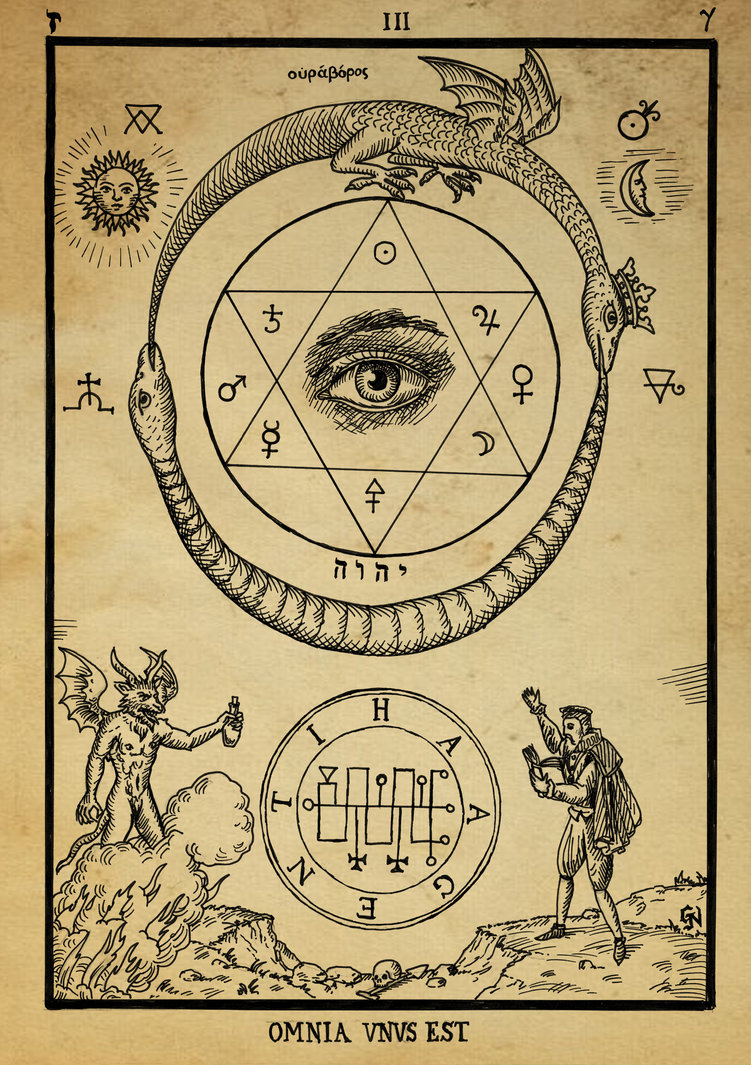
I ended up using ncloth to create some pages to drape over a few books and the side of the desk. I really enjoy doing cloth simulations so I thought I'd do another for the stairs to add a bit more to it. I then had to get some images to put on the pages (ref below). Then came more book placing, everywhere.
I also made a half side table from the larger ones downstairs as you can see from above and a candle with a new flame particle (that doesn't have lens flare!)
I re-visited the book textures so it didn't look at childish
I still have the different colours and the version without the metal binding on the spine.

Some little plant alphas to break up the bookcases. The middle one is inside a shrunk cauldron and the others are in a plant pot I made weeks ago but forgot to mention. Ref below.
Rug Texture ref -
http://alrug.com/rugs/gallery/product/images/9323
http://www.finerugsandmore.com/sites/default/files/rugImages/Nourison%202000%202318-SLT_0.jpg
http://briers.ca/store/images/detailed/15/050301-65186-3060-kelati-persian-carpet-black-made-in-belgium.jpg
http://www.wonznews.com/surfaces_broadloom_2010/high_resolution_images/Shaw_Coventry.jpg
http://indulgy.ccio.co/19/KD/h5/61iYUF0lNfL.jpg
Page images ref -
http://www.rosecitypsychic.net/wp-content/uploads/2014/02/alchemy_woodcut_duos_caputis_melior_quam_unus_est_by_dashinvaine-d62i1y6.jpg
http://www.cvltnation.com/wp-content/uploads/2014/10/alchemy_woodcut_omnia_unus_est_by_dashinvaine-d62hzol.jpg
http://aetherforce.com/wp-content/uploads/2014/06/alchemy_woodcut_terebilis_est_locus_iste_by_dashinvaine-d62i0xe.jpg
http://twistedphysics.typepad.com/.a/6a00d8341c9c1053ef0134853a9cb8970c-pi
Plant Alphas -
http://www.cgtextures.com/texview.php?id=24806&PHPSESSID=ud42de4lp1jq2sn38lr6s3rdm6
http://www.cgtextures.com/texview.php?id=24784&PHPSESSID=ud42de4lp1jq2sn38lr6s3rdm6
http://driverlayer.com/showimg?v=g&img=http://s.hswstatic.com/gif/sage-herbal-remedies-1.jpg&org=http://health.howstuffworks.com/wellness/natural-medicine/herbal-remedies/sage-herbal-remedies.htm&ti=Ltd.%20Sage%20can%20be%20used%20as
So I made a cool little book sign to go upstairs and help break up the columns a bit. Each one has a different word so it looks like different book sections.Next I made some rugs (ref below) I added Ao bakes and normals to make them look less flat and added them around the level.
I think it helps to break up the boring wooden floor.
Next on my to do list was to create a counter to go at the back of the shop where the cauldrons are.
Whilst I was doing this I thought I should make another book pile to go on top.
I ended up using ncloth to create some pages to drape over a few books and the side of the desk. I really enjoy doing cloth simulations so I thought I'd do another for the stairs to add a bit more to it. I then had to get some images to put on the pages (ref below). Then came more book placing, everywhere.![]() |
| AO shots are so nice |
I re-visited the book textures so it didn't look at childish
I still have the different colours and the version without the metal binding on the spine.

Some little plant alphas to break up the bookcases. The middle one is inside a shrunk cauldron and the others are in a plant pot I made weeks ago but forgot to mention. Ref below.
Rug Texture ref -
http://alrug.com/rugs/gallery/product/images/9323
http://www.finerugsandmore.com/sites/default/files/rugImages/Nourison%202000%202318-SLT_0.jpg
http://briers.ca/store/images/detailed/15/050301-65186-3060-kelati-persian-carpet-black-made-in-belgium.jpg
http://www.wonznews.com/surfaces_broadloom_2010/high_resolution_images/Shaw_Coventry.jpg
http://indulgy.ccio.co/19/KD/h5/61iYUF0lNfL.jpg
Page images ref -
http://www.rosecitypsychic.net/wp-content/uploads/2014/02/alchemy_woodcut_duos_caputis_melior_quam_unus_est_by_dashinvaine-d62i1y6.jpg
http://www.cvltnation.com/wp-content/uploads/2014/10/alchemy_woodcut_omnia_unus_est_by_dashinvaine-d62hzol.jpg
http://aetherforce.com/wp-content/uploads/2014/06/alchemy_woodcut_terebilis_est_locus_iste_by_dashinvaine-d62i0xe.jpg
http://twistedphysics.typepad.com/.a/6a00d8341c9c1053ef0134853a9cb8970c-pi
Plant Alphas -
http://www.cgtextures.com/texview.php?id=24806&PHPSESSID=ud42de4lp1jq2sn38lr6s3rdm6
http://www.cgtextures.com/texview.php?id=24784&PHPSESSID=ud42de4lp1jq2sn38lr6s3rdm6
http://driverlayer.com/showimg?v=g&img=http://s.hswstatic.com/gif/sage-herbal-remedies-1.jpg&org=http://health.howstuffworks.com/wellness/natural-medicine/herbal-remedies/sage-herbal-remedies.htm&ti=Ltd.%20Sage%20can%20be%20used%20as
Saturday, 29 November 2014
Week 9 - Post Alpha
First thing I did after alpha was delete all the lanterns and the flame particle. I also turned off lens flare in the world editor for good measure.
Unlike my previous priorities, I began with the stairs as I knew from making them the first time, just how long it would take. Jon had organised a few late night lab sessions so on the first one I did the stairs.
![]() |
| Left is original, right is re-do |
First thing I went about tidying up the main section of the stairs. I deleted the original and just re-made it from scratch. I added bevels and more geometry so it would have a softer look to them and not be as angular. I smoothed a lot of edges.
![]() |
| Left is new, right is old |
Fun fact, the stairs were floating during the alpha cinematic. I did't realise this until I went in my scene after to decide what to do next. I'm unable to lower the stairs as everything lines up, so I added an extra step on the bottom to make it curve out more. I didn't remake this section as there's not that much wrong with it. I cleaned up some of the geometry and added bevels and smooths to the steps.
![]() |
| Left is old, right is new |
I made a little cross for some details to go around the stairs and on the skirting trim that surrounds the hole in the floor.
Using this image I found (ref below), I modelled and placed it around the wooden skirting. Unfortunately, it looked a lot like the Iron Cross from far away (Possible WW1 crossover?!) so I rotated it 90 degrees and it looks a lot better now.Using NDO, I made the texture maps and came out with a really nice golden trim for the crosses (see above). It's just a shame this small metal detail won't reflect as much as I'd like as there isn't direct light like that shining on them. But it's a good way to show off my use of PBR.
![]() |
| Left is old, right is new |
![]() |
| Crosses on the skirting |
Cross image ref - http://www.needlenthread.com/Images/patterns/Ecclesiastical_Embroidery/Crosses/Cross_Pattern_10.gif
Friday, 28 November 2014
That lens flare - Alpha Feedback
My feedback was a bit mixed. As I knew it wasn't ready for alpha it was just mainly areas I needed to improve on. But my cinematic was good and served as a good solid start for the final one. The scene was a bit empty so I need to fill it out some more. Turn off the lens flare is a must!
Areas to improve on:
- Lighting
- Dynamics
- Time management
- Refining some models
I recently bought Quixel suit so this will help me improve my textures greatly for the final cinematic
Tuesday, 25 November 2014
Week 8
Run up to Alpha time! Busy, busy.
The worst part of this week was the little arches that go along the bannister up the stairs. I had no idea how I was supposed to go about this. Even look at ref images, there wasn't any photos of the steep parts on the bannister, mainly because it's in a part no one can really reach. But the fact I pretty much had to wing it didn't help.

I began by mirroring one arch so I had quite a lot lined up and then had to scale it on the Y slightly so it wouldn't be too short. After positioning it at the bottom, I selected the arch faces and separated them from the bottom poles. It was then just a case of rotating them to fit with the bannister.
After, I just had to rotate and place the poles so it would line up and I could re-attach them. I probably could have done this another way so it didn't look at bad and maybe there is an easier, quicker way to do so, but I couldn't really think of one at the time.
At least I had known that the stairs would take me a long time. Especially with the uving and lightmapping. But it was done and in Unreal. I brought an image of the stairs in to Photoshop and colour picked the steps so I could have that brilliant pink colour. It looks like that part of the stairs is some kind of plastic rather than carpet so I added a constant to sort out the specular value in Unreal and added a wooden texture on to the rest.

Next on the asset list was the column that breaks up the bookcases. Couldn't find too many reference images once again as there were either books in the way, or no one was interested. Using the lower and upper bookcases and the ceiling out of engine (Just for reference) I modelled the shape and the individual detail shapes before placing.
I made the decision to not bake these details down as when I tried it, the details were just lost and I personally thought it looked really bad, so I just kept the mesh as the poly count wasn't that high and those sort of things don't really matter any more. I originally didn't have polys on the back of this piece, but later on I realised light was passing through so I came back and added.
Just for alpha, it was a case of putting a wooden material on that I would later change.
I admittedly forgot about the roof. Again using fbx exports from Unreal for scale reference, it came out pretty quickly. But I had to decide what sort of details I was going to have on the roof.
Looking at the ref image on the left, it's incredibly detailed along with a stained glass window. I judged how much I had left to do (a lot) and whether I would be able to do something that detailed. For alpha I knew it wouldn't be achievable, so I decided to see what feedback I got first and then see if I would have time to create something more detailed. It's a shame I never got a chance or time to add more detail here but it can be something to aim for over the Christmas break.
I did a quick search at gothic houses and saw that wooden rafters seemed kind of popular. So here is how the final roof came out. I have space for the stained glass window but I would achieve that through textures anyway.
Next came a flame particle that I wanted to use to light the scene. I used kismet in UDK to create fire before I kind of knew what I was doing. Even so I watched this quick tutorial on how to make a flame particle just so I would know what I was doing in Unreal. https://www.youtube.com/watch?v=KEzg5g9ikds
When creating the final matinee, the god awful lens flare that came off the flame particle wasn't as extreme as it was in the alpha cinematic. By that point it was too late to change and even then I changed the lighting afterwards anyway.
The flames weren't really doing their job properly but I didn't have much time to change as I needed to texture everything else.
I used the wooden texture from CG textures (ref below) on everything wooden, bookcases, stairs, bannisters, upstairs bookcases, columns. The tables just had a brown albedo with the AO on for the time being. the Lanterns had the same texture as the cauldrons as I thought that black metal looked ok and the downstairs windows had a translucent constant on as I was still trying to create the frosted glass effect.
The carpet upstairs (ref below) I edited to be blue and would later make a normal etc.
GC texture wood ref - http://www.cgtextures.com/texview.php?id=19797&PHPSESSID=ud42de4lp1jq2sn38lr6s3rdm6
CG carpet ref - http://www.cgtextures.com/texview.php?id=8242&PHPSESSID=ud42de4lp1jq2sn38lr6s3rdm6
-
The worst part of this week was the little arches that go along the bannister up the stairs. I had no idea how I was supposed to go about this. Even look at ref images, there wasn't any photos of the steep parts on the bannister, mainly because it's in a part no one can really reach. But the fact I pretty much had to wing it didn't help.

I began by mirroring one arch so I had quite a lot lined up and then had to scale it on the Y slightly so it wouldn't be too short. After positioning it at the bottom, I selected the arch faces and separated them from the bottom poles. It was then just a case of rotating them to fit with the bannister.
After, I just had to rotate and place the poles so it would line up and I could re-attach them. I probably could have done this another way so it didn't look at bad and maybe there is an easier, quicker way to do so, but I couldn't really think of one at the time.
At least I had known that the stairs would take me a long time. Especially with the uving and lightmapping. But it was done and in Unreal. I brought an image of the stairs in to Photoshop and colour picked the steps so I could have that brilliant pink colour. It looks like that part of the stairs is some kind of plastic rather than carpet so I added a constant to sort out the specular value in Unreal and added a wooden texture on to the rest.

Next on the asset list was the column that breaks up the bookcases. Couldn't find too many reference images once again as there were either books in the way, or no one was interested. Using the lower and upper bookcases and the ceiling out of engine (Just for reference) I modelled the shape and the individual detail shapes before placing.
I made the decision to not bake these details down as when I tried it, the details were just lost and I personally thought it looked really bad, so I just kept the mesh as the poly count wasn't that high and those sort of things don't really matter any more. I originally didn't have polys on the back of this piece, but later on I realised light was passing through so I came back and added.
Just for alpha, it was a case of putting a wooden material on that I would later change.
I admittedly forgot about the roof. Again using fbx exports from Unreal for scale reference, it came out pretty quickly. But I had to decide what sort of details I was going to have on the roof.
Looking at the ref image on the left, it's incredibly detailed along with a stained glass window. I judged how much I had left to do (a lot) and whether I would be able to do something that detailed. For alpha I knew it wouldn't be achievable, so I decided to see what feedback I got first and then see if I would have time to create something more detailed. It's a shame I never got a chance or time to add more detail here but it can be something to aim for over the Christmas break.
I did a quick search at gothic houses and saw that wooden rafters seemed kind of popular. So here is how the final roof came out. I have space for the stained glass window but I would achieve that through textures anyway.
Next came a flame particle that I wanted to use to light the scene. I used kismet in UDK to create fire before I kind of knew what I was doing. Even so I watched this quick tutorial on how to make a flame particle just so I would know what I was doing in Unreal. https://www.youtube.com/watch?v=KEzg5g9ikds
When creating the final matinee, the god awful lens flare that came off the flame particle wasn't as extreme as it was in the alpha cinematic. By that point it was too late to change and even then I changed the lighting afterwards anyway.
![]() |
| After placing around the flame particle |
I used the wooden texture from CG textures (ref below) on everything wooden, bookcases, stairs, bannisters, upstairs bookcases, columns. The tables just had a brown albedo with the AO on for the time being. the Lanterns had the same texture as the cauldrons as I thought that black metal looked ok and the downstairs windows had a translucent constant on as I was still trying to create the frosted glass effect.
The carpet upstairs (ref below) I edited to be blue and would later make a normal etc.GC texture wood ref - http://www.cgtextures.com/texview.php?id=19797&PHPSESSID=ud42de4lp1jq2sn38lr6s3rdm6
CG carpet ref - http://www.cgtextures.com/texview.php?id=8242&PHPSESSID=ud42de4lp1jq2sn38lr6s3rdm6
-
Subscribe to:
Posts (Atom)